1、打开scratch,进入其主界面中;

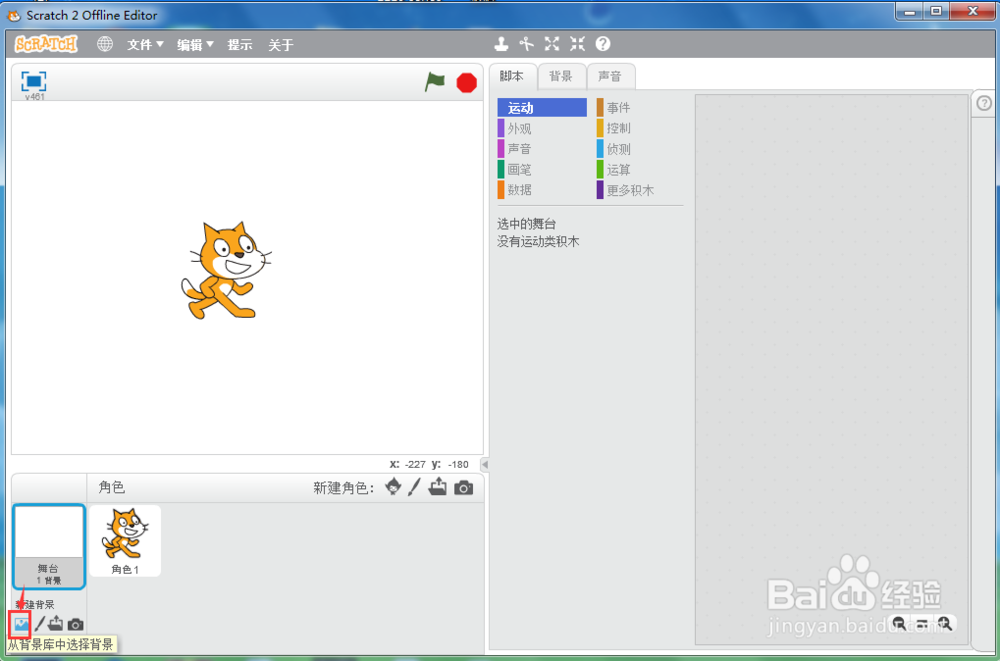
2、点击舞台选中它,进入舞台的编辑模式中;

3、用鼠标选中从背景库中选择背景;
4、进入scratch的背景库中;
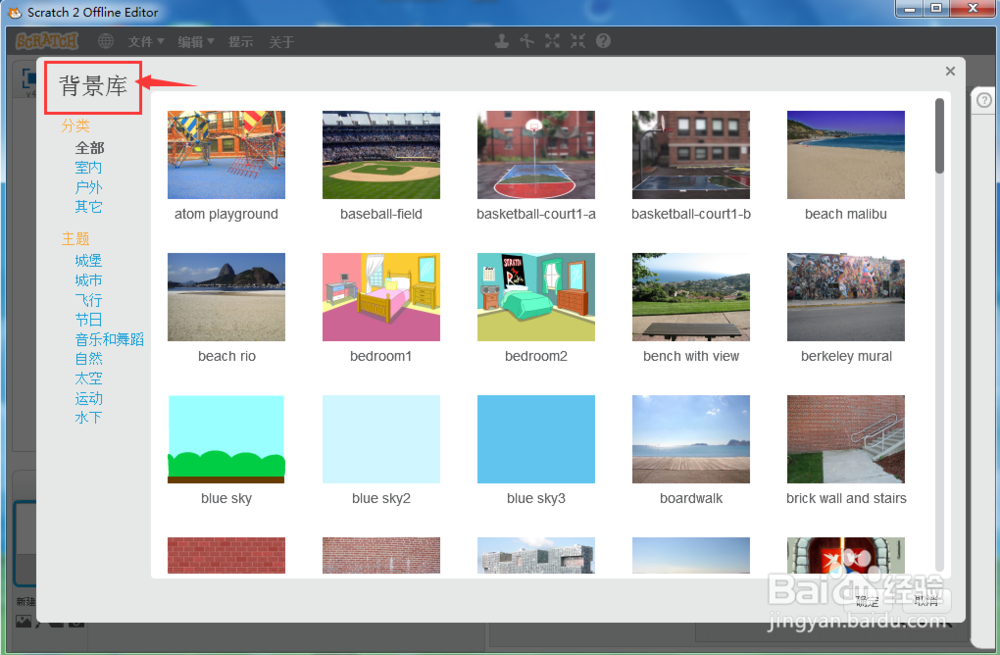
5、点击户外选项,选择砖墙背景;

6、选中砖墙背景后按确定;

7、我们就在scratch中创建好了一个砖墙背景。

1、打开scratch,进入其主界面中;
2、点击舞台选中它,进入舞台的编辑模式中;
3、用鼠标选中从背景库中选择背景;
4、进入scratch的背景库中;
5、点击户外选项,选择砖墙背景;
6、选中砖墙背景后按确定;
7、我们就在scratch中创建好了一个砖墙背景。