1、第一步:打开手部界面。
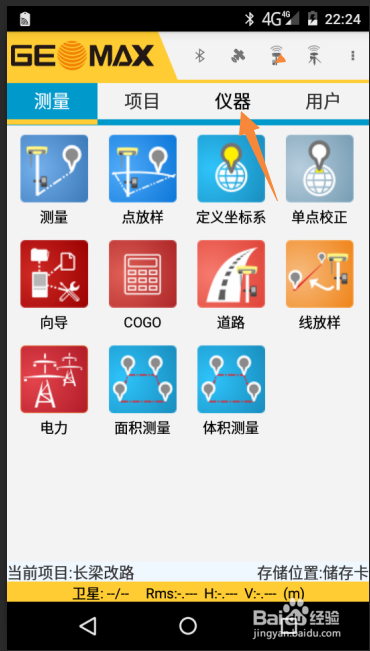
2、第二步:点击 仪器
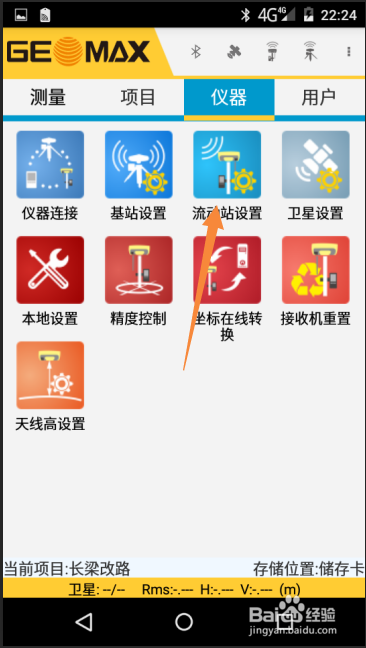
3、第三步:选择手簿网络(CORS P2P)选择这个的前提是手机卡在手部里,没有安装到机头里面。
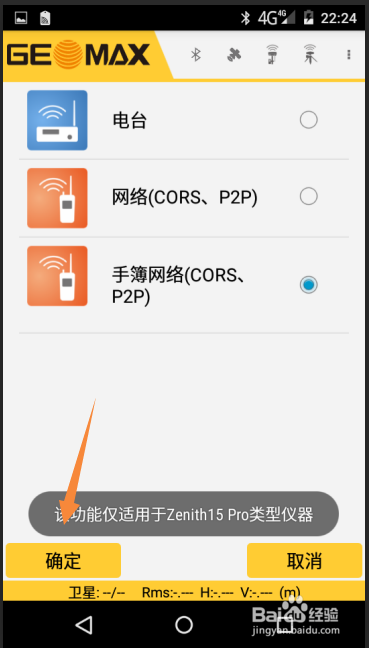
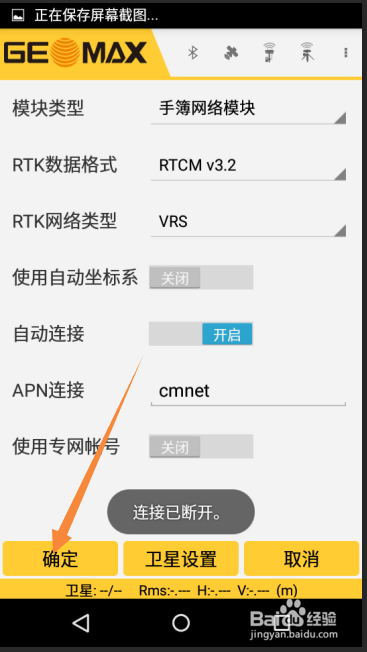
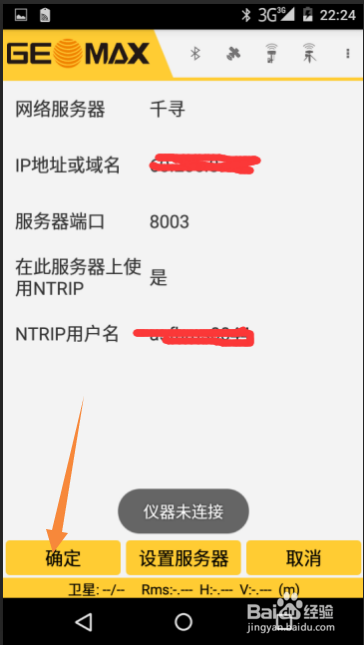
4、第四步:进入如下图界面后 点击 p2p 。
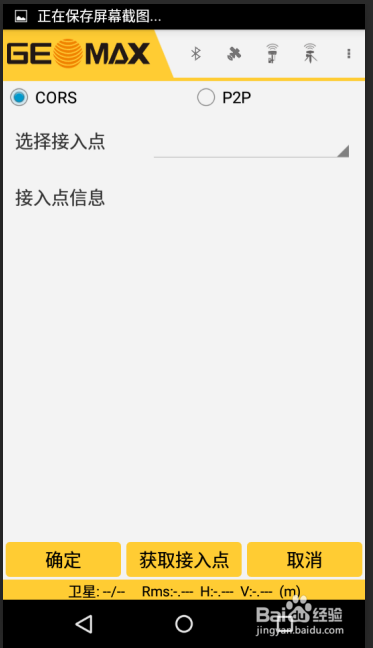
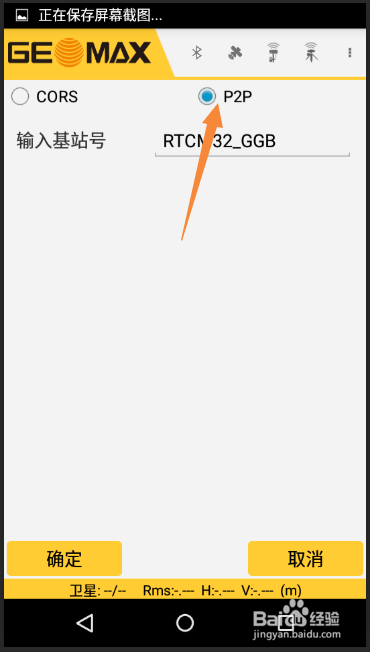
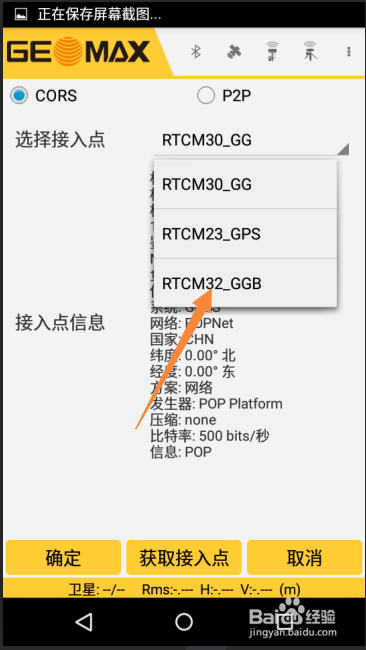
5、第五步:重新点击CORS,选择RTCM32_GGB
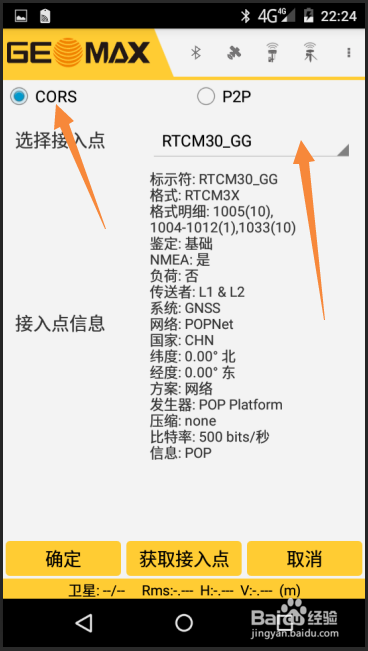
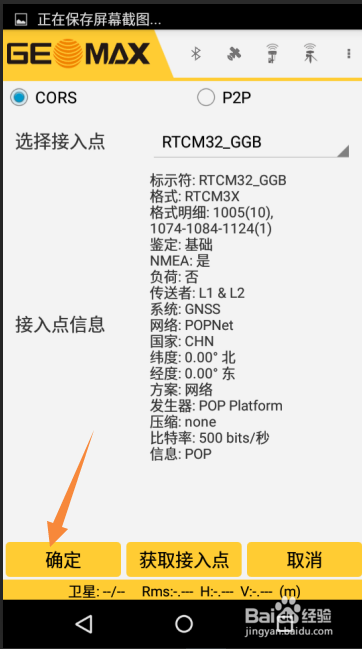
6、第六步:点确定即可。
1、第一步:打开手部界面。
2、第二步:点击 仪器
3、第三步:选择手簿网络(CORS P2P)选择这个的前提是手机卡在手部里,没有安装到机头里面。
4、第四步:进入如下图界面后 点击 p2p 。
5、第五步:重新点击CORS,选择RTCM32_GGB
6、第六步:点确定即可。