1、第一步
使用maven构建spring新项目是非常方便的,这里采用maven构建,maven的安装可以参考下面的引用
首先打开eclipse

2、第二步
点击File--new---project新建项目,选择mavne项目,关于maven的配置可以看考第一步的引用

3、第三步
选择maven--maven project项目,勾选:create a simple project(skip archetype selection)


4、第四步
编写new mavne project 信息:, group id组织信息、 artfact id 项目标示、 version 版本信息
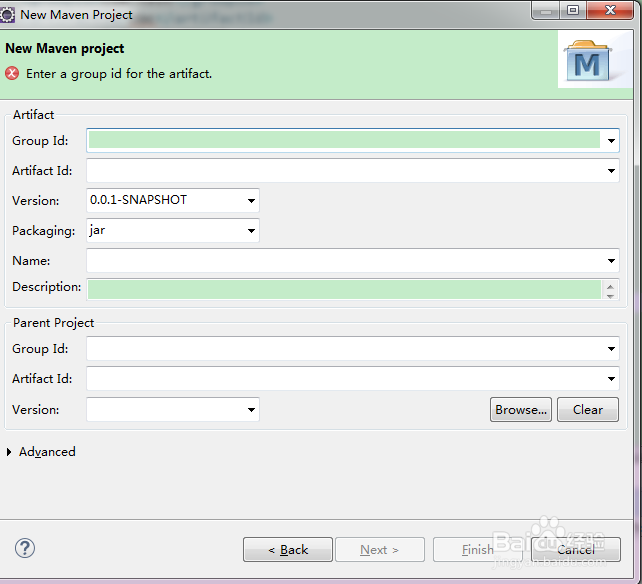
5、第五步
项目创建好后,编辑pom.xml
增加spring项目依赖
<dependencies>
<dependency>
<groupId>org.springframework</groupId>
<artifactId>spring-context</artifactId>
<version>4.1.6.RELEASE</version>
</dependency>
</dependencies>
增加编译配置:
<build>
<plugins>
<plugin>
<groupId>org.springframework.boot</groupId>
<artifactId>spring-boot-maven-plugin</artifactId>
</plugin>
<plugin>
<groupId>org.springframework.boot</groupId>
<artifactId>spring-boot-maven-plugin</artifactId>
<dependencies>
<dependency>
<groupId>org.springframework</groupId>
<artifactId>springloaded</artifactId>
<version>1.2.0.RELEASE</version>
</dependency>
</dependencies>
</plugin>
</plugins>
</build>

6、第六步
查看项目的依赖,这里就是spring项目的快速创建
