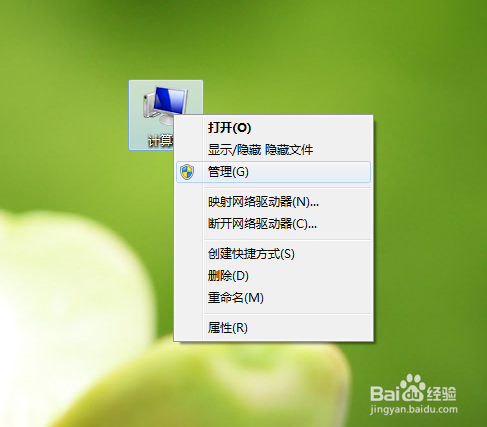
1、鼠标右键单击 “计算机”。
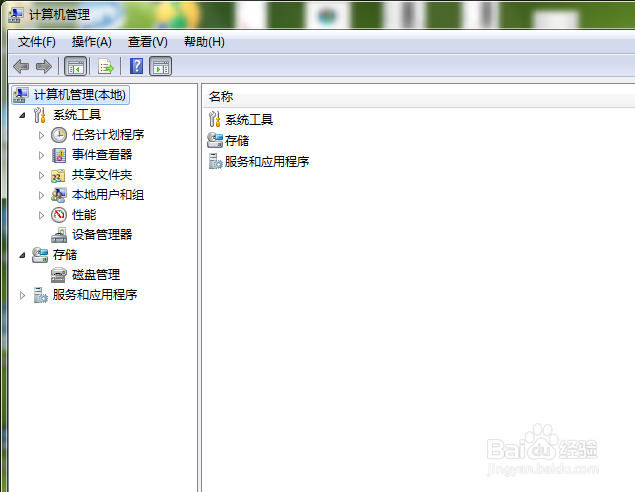
2、选择“管理”,打开“计算机管理”窗口。
3、点击“服务和应用程序”。
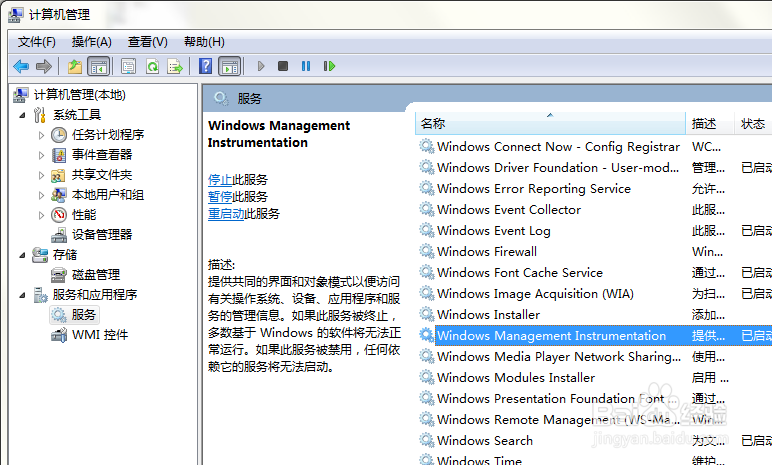
4、点击“服务”选项,在对应“服务”选项所在的右侧窗口中,找到“Windows Management Instrumentation”服务。
5、鼠标右键单击该服务选择“属性”。
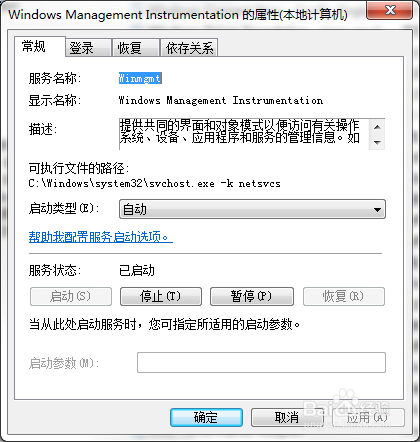
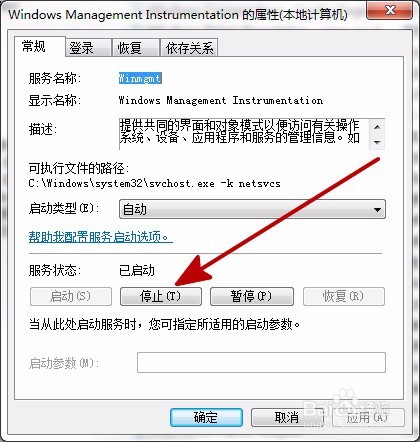
6、打开“Windows Management Instrumentation属性“对话框。
7、“常规”标签页面下,单击“停止”按钮,将Windows Management Instrumentation服务暂时停止运行
8、重新启动计算机。