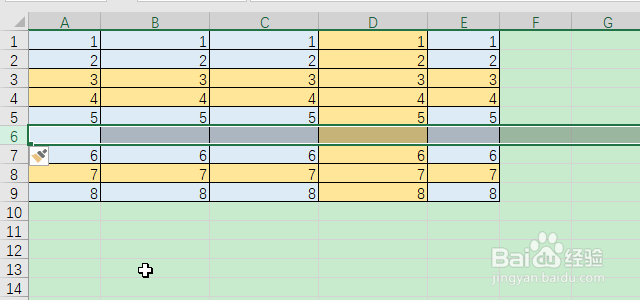
1、首先选中一行,右键,点击“插入”。

2、这样就能插入一行。
3、选中多行,右键,点击“插入”。
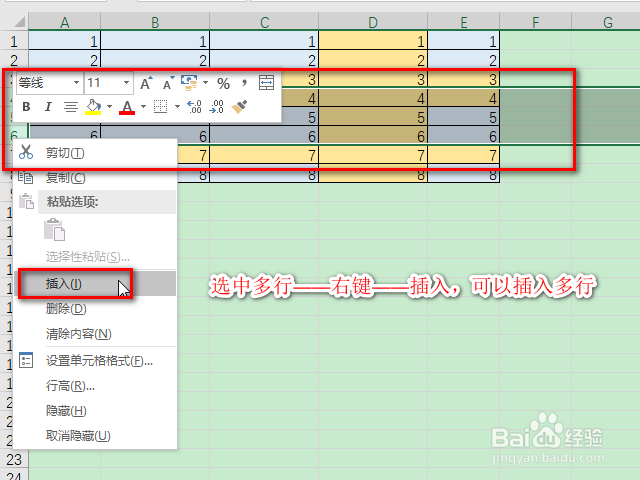
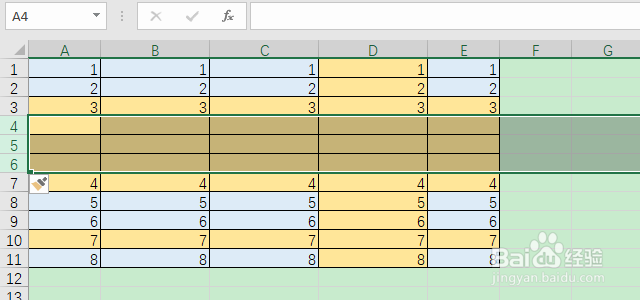
4、点击“插入”前选中了几行,就可以插入几行。
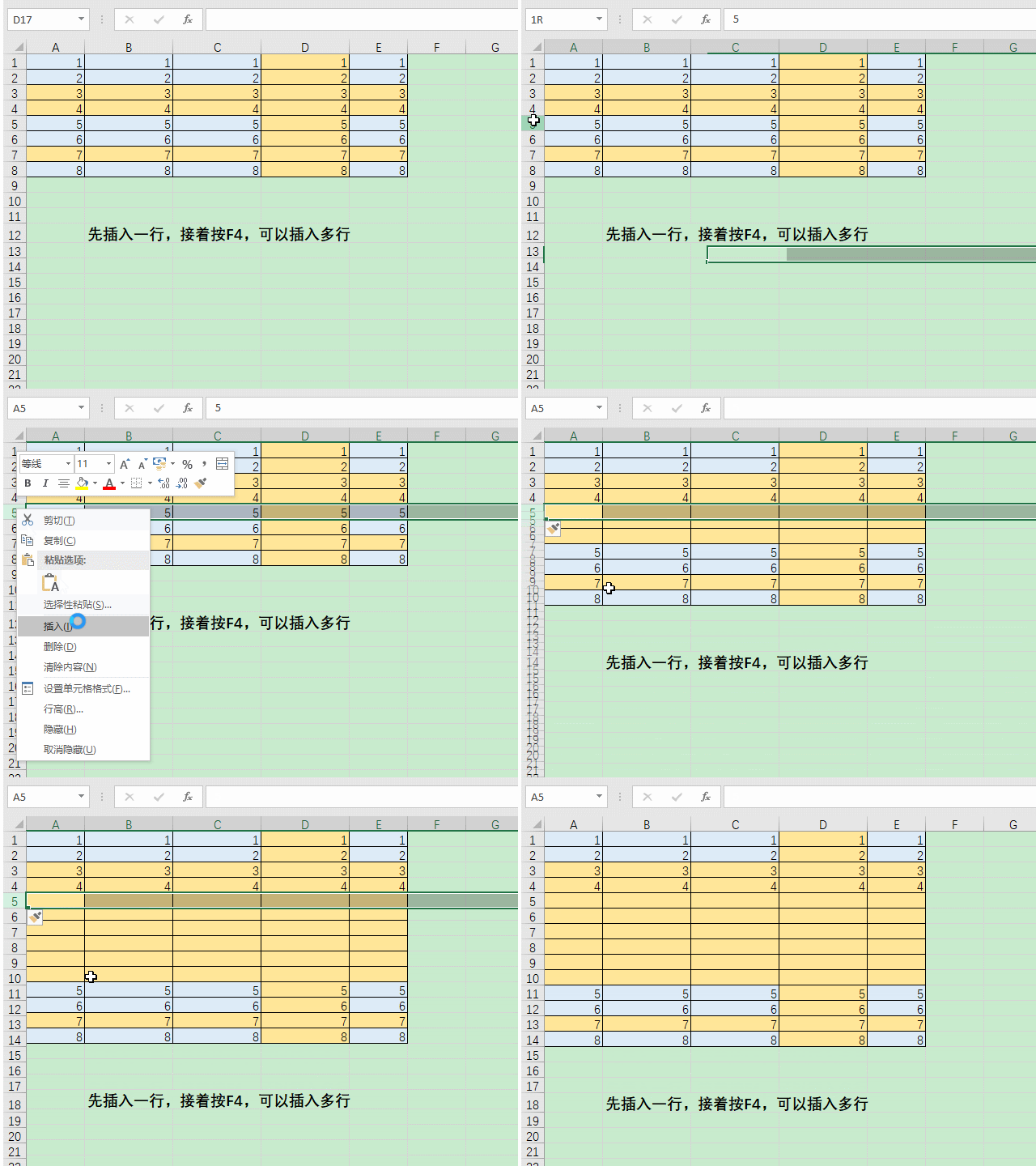
1、首先插入一行,接着不停地按下F4,可以不停地插入一行又一行。如果先插入3行,接着不停地按F4,就可以不停地插入3行又3行。
2、插入列的操作方法也相同哦。
1、首先选中一行,右键,点击“插入”。
2、这样就能插入一行。
3、选中多行,右键,点击“插入”。
4、点击“插入”前选中了几行,就可以插入几行。
1、首先插入一行,接着不停地按下F4,可以不停地插入一行又一行。如果先插入3行,接着不停地按F4,就可以不停地插入3行又3行。
2、插入列的操作方法也相同哦。