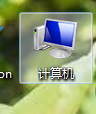
1、首先打开电脑桌面,在桌面的计算机点击右键,选择属性打开属性窗口;
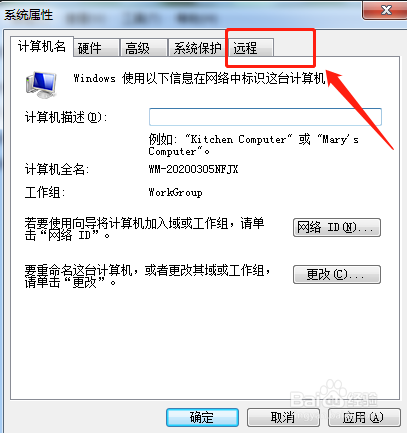
2、其次,在属性窗口中点击远程协助,打开远程协助窗口;

3、在远程协助窗口中选择远程;
4、看到允许远程协助连接这台计算机;
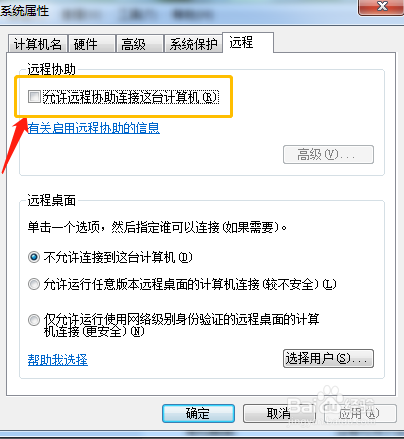
5、在允许远程协助连接这台计算机的前面方框上划√;

6、点击下方的应用,点击确定,设置ok。

1、首先打开电脑桌面,在桌面的计算机点击右键,选择属性打开属性窗口;
2、其次,在属性窗口中点击远程协助,打开远程协助窗口;
3、在远程协助窗口中选择远程;
4、看到允许远程协助连接这台计算机;
5、在允许远程协助连接这台计算机的前面方框上划√;
6、点击下方的应用,点击确定,设置ok。