如何快速选择excel表格中的公式?

时间:2026-02-14 23:43:33

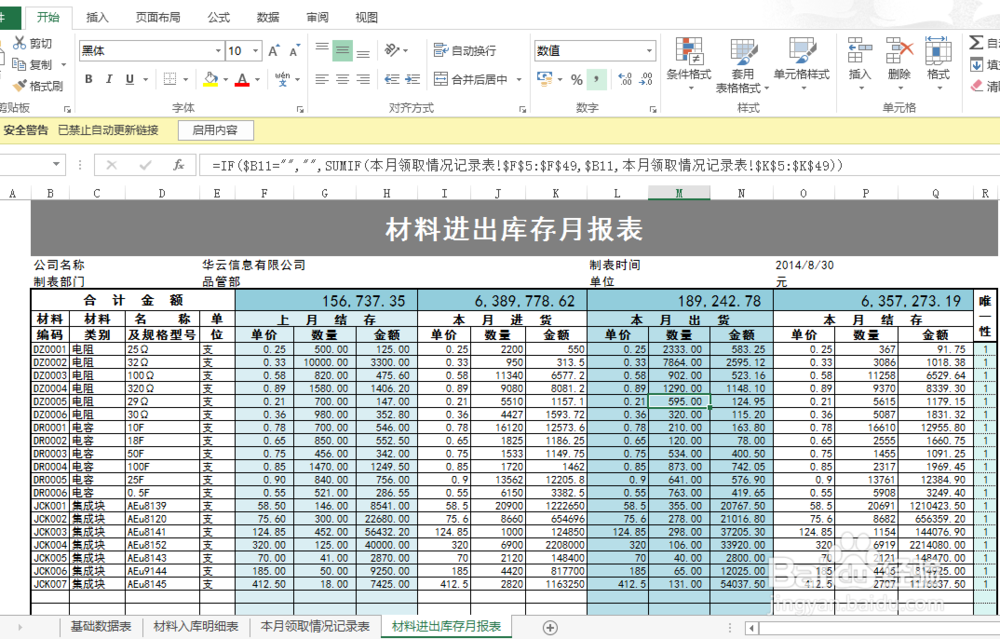
1、打开需要编辑的Excel表格。

如何快速选择excel表格中的公式?

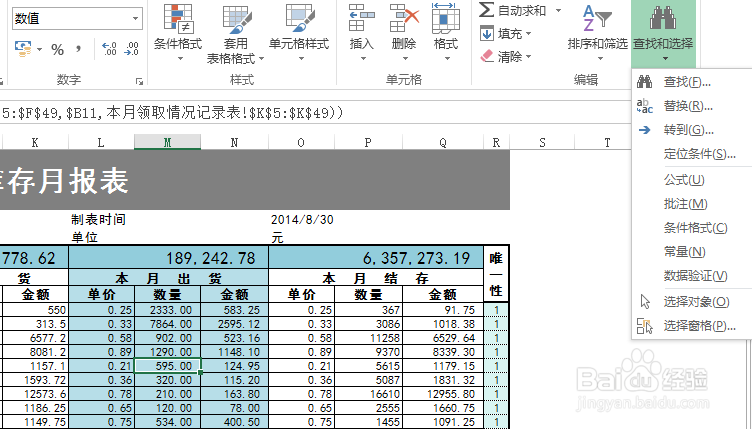
2、点击     开始         →        编辑    →    查找和选择 。

如何快速选择excel表格中的公式?

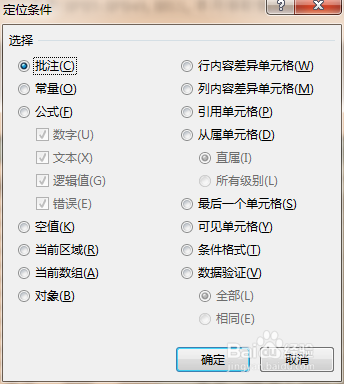
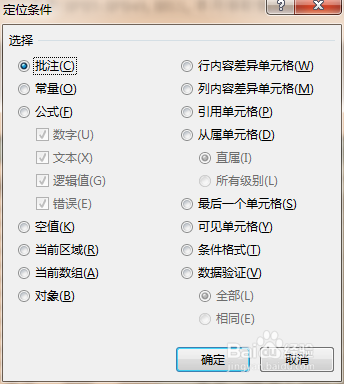
3、选中定位条件,弹出对话框。

如何快速选择excel表格中的公式?

如何快速选择excel表格中的公式?

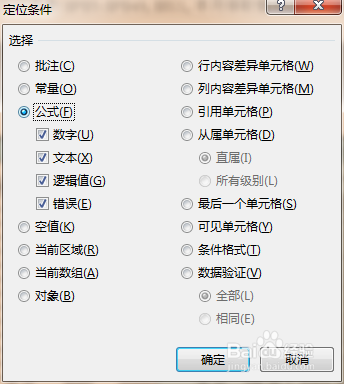
4、选中公式。

如何快速选择excel表格中的公式?

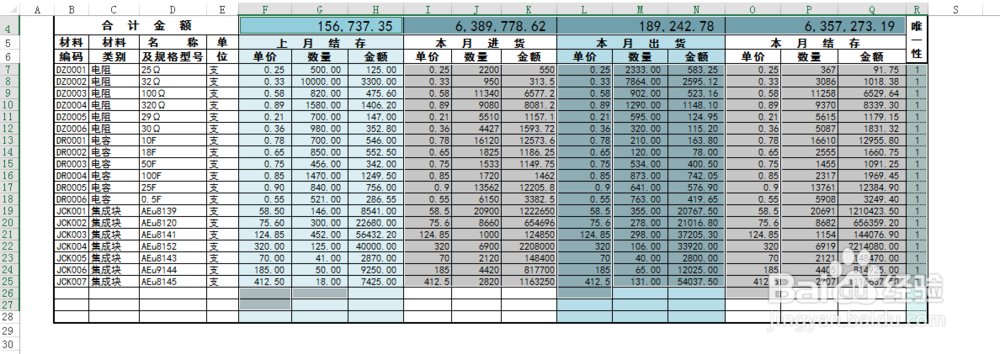
5、点击确定完成。

如何快速选择excel表格中的公式?

6、除了选公式外还有很多其他的定位条件可以选择,关键在于自己的探索。
如何快速选择excel表格中的公式?

© 2026 智德知识库
信息来自网络 所有数据仅供参考
有疑问请联系站长 site.kefu@gmail.com